
Innovative Wedding Photobook Design Ideas with Modern Photobook Concepts
When it comes to preserving the magic of your wedding day, a photobook is more than just a collection of pictures. It’s a storybook, a keepsake, and a treasure trove of memories. But with so many options out there, how do you make your wedding photobook truly stand out? We have gathered some fresh, innovative wedding photobook design ideas that blend creativity with modern photobook concepts. Whether you’re planning your own album or helping a loved one, these ideas will inspire you to create something unique and heartfelt.
Embracing Modern Photobook Concepts for a Fresh Look
Modern photobook concepts focus on simplicity, storytelling, and a clean aesthetic. Instead of cramming every photo into a page, these designs emphasize space, balance, and flow. Here’s how you can bring these ideas into your wedding photobook:
Minimalist layouts: Use plenty of white space to let your photos breathe. This approach highlights the emotions and details without overwhelming the viewer.
Bold typography: Incorporate elegant fonts for captions, dates, or quotes. This adds personality and guides the reader through your story.
Color themes: Choose a consistent color palette that matches your wedding colors or mood. This creates harmony and a polished look.
Asymmetrical grids: Break away from traditional grids by mixing photo sizes and placements. This adds visual interest and a modern vibe.
For example, you might dedicate a full page to a stunning close-up of your wedding rings, paired with a simple caption in a stylish font. Then, on the next page, use a collage of candid moments arranged asymmetrically to capture the day’s energy.

Creative Ways to Tell Your Wedding Story
Your wedding photobook should feel like a journey, not just a photo dump. Think about the story you want to tell and how to guide the viewer through it. Here are some ideas to make your album more engaging:
Chronological narrative: Start with the preparations, move through the ceremony, and end with the celebration. This classic approach works well with clear chapter markers or section dividers.
Themed chapters: Organize photos by themes like “Getting Ready,” “First Look,” “Ceremony Highlights,” and “Reception Fun.” Use different design elements or colors for each chapter.
Include personal touches: Add handwritten notes, vows, or quotes from your wedding day. These intimate details make the photobook feel personal and heartfelt.
Mix photo styles: Combine posed portraits, candid shots, and artistic close-ups. This variety keeps the album dynamic and visually interesting.
For instance, you could start with a soft pastel background for the “Getting Ready” section, then switch to a bold, dark theme for the evening party photos. Adding a few lines from your vows or a favorite song lyric can deepen the emotional impact.
Using Unique Materials and Formats
Don’t limit yourself to the standard photobook. Experimenting with materials and formats can make your wedding album truly one-of-a-kind:
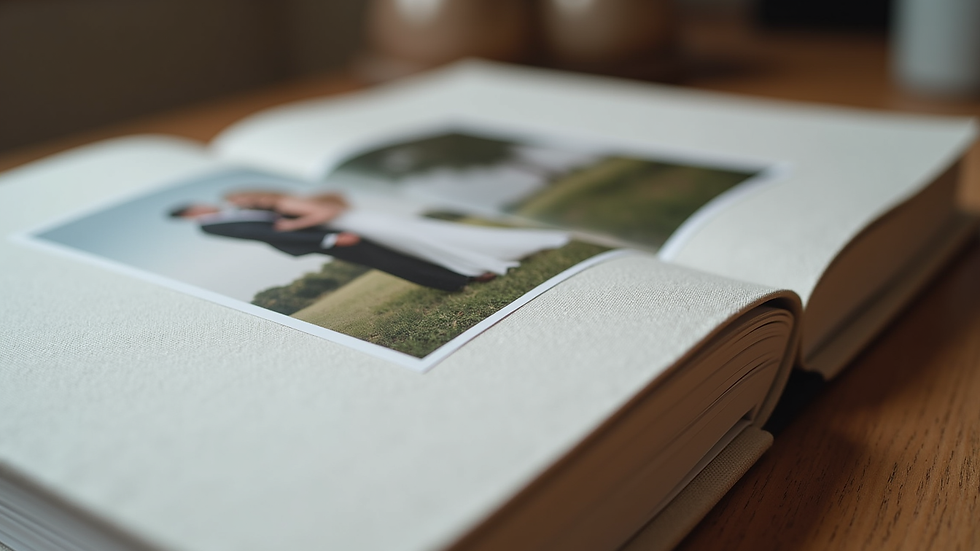
Textured covers: Think linen, leather, or even wood covers. These tactile elements add a luxurious feel and make your book stand out on the shelf.
Square or panoramic formats: Instead of the usual rectangular shape, try a square or panoramic layout to better showcase your photos.
Interactive elements: Include fold-out pages, pockets for keepsakes like invitations or pressed flowers, or even QR codes linking to wedding videos.
Mixed media: Combine photos with illustrations, maps of your wedding venue, or timelines to enrich the storytelling.
Imagine a photobook with a soft linen cover in your wedding colors, featuring a panoramic spread of your ceremony venue. A fold-out page could reveal candid moments from the reception, while a small pocket holds your wedding invitation.
Tips for Selecting and Editing Photos
Choosing the right photos and editing them thoughtfully is key to a stunning photobook. Here’s how to make your selections and edits shine:
Quality over quantity: Pick the best photos that tell your story, rather than trying to include every single shot.
Consistent editing style: Use similar filters or color corrections to create a cohesive look throughout the book.
Highlight emotions: Focus on photos that capture genuine smiles, tears, and candid moments.
Balance posed and candid: Mix formal portraits with spontaneous shots to keep the album lively.
When editing, consider softening backgrounds or enhancing natural light to give your photos a dreamy, romantic feel. Avoid heavy filters that can distract from the authenticity of the moment.
Personalizing Your Photobook for Lasting Memories
Personal touches make your wedding photobook truly yours. Here are some ways to add that special flair:
Custom illustrations: Commission an artist to create drawings of your venue, bouquet, or other meaningful details.
Story captions: Write short anecdotes or memories related to specific photos.
Guest messages: Include notes or signatures from family and friends.
Unique fonts and colors: Use fonts that reflect your wedding style, whether elegant script or modern sans-serif.
These details transform your photobook from a simple album into a cherished family heirloom.
Bringing Your Wedding Memories to Life
Creating a wedding photobook is a wonderful way to relive your special day again and again. By embracing modern photobook concepts and adding your own creative touches, you can design an album that’s as unique as your love story. Whether you prefer minimalist elegance, bold layouts, or interactive elements, the key is to make it personal and meaningful.
Remember, this is your story - tell it your way. Happy designing!


Comments